
Passwords, login details, and API keys don’t belong in plain email or chat — those messages sit in inboxes and message histories forever, readable by anyone who gets in later. When you need to send us (or anyone) something sensitive, use our free Secure Share tool instead: it turns your message into an encrypted link that deletes itself.
Step 1: Open Secure Share
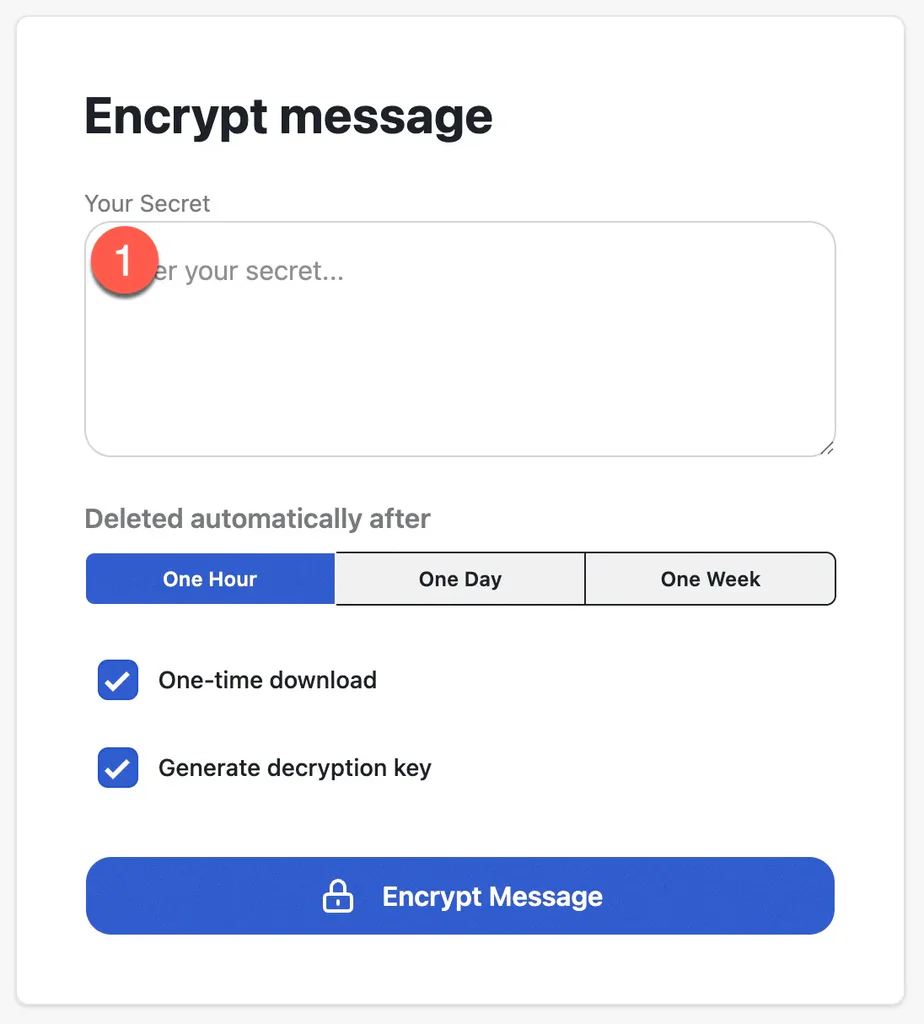
Go to secure-share.3mediaweb.com and type or paste your sensitive text into the Your Secret field.
Step 2: Choose When It Expires
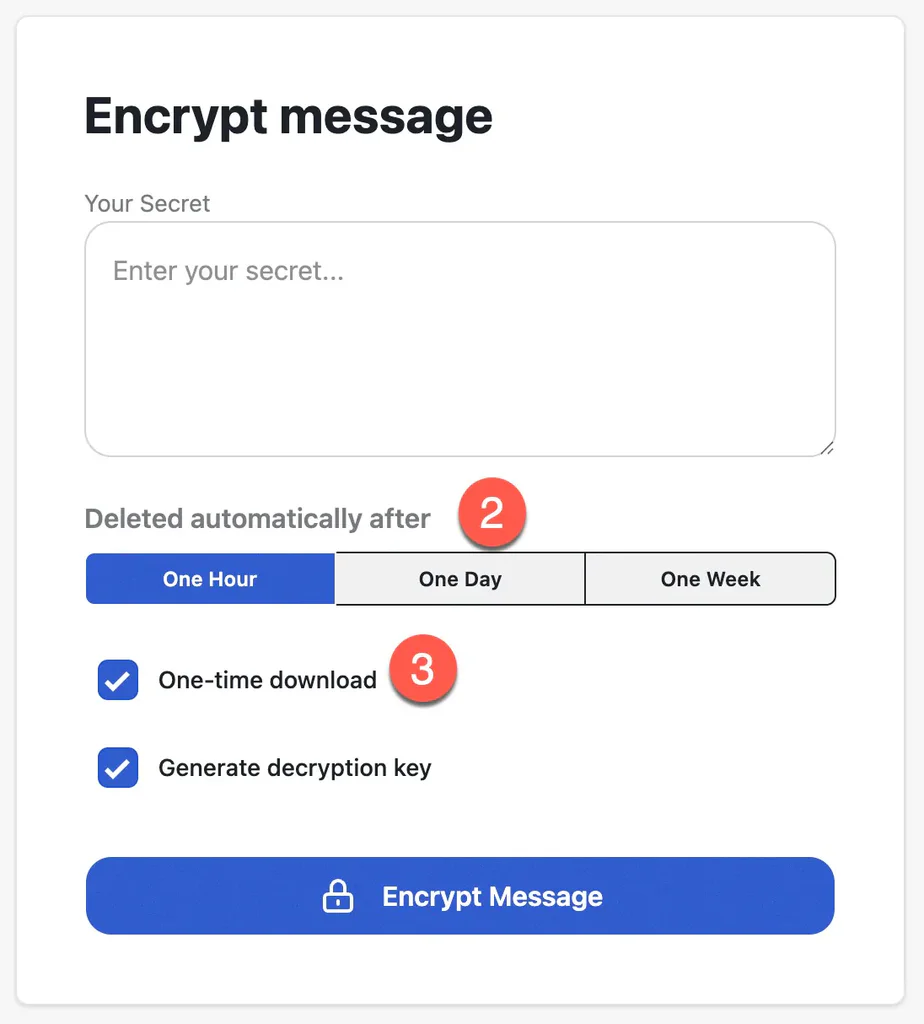
Pick how long the message should exist: One Hour, One Day, or One Week. Whatever you choose, the encrypted message is deleted automatically when the time is up — even if no one ever opened it.
Leave One-time download checked. It means the message destroys itself the moment it’s read, so a link that’s already been opened is useless to anyone who finds it afterward.
Step 3: Encrypt the Message
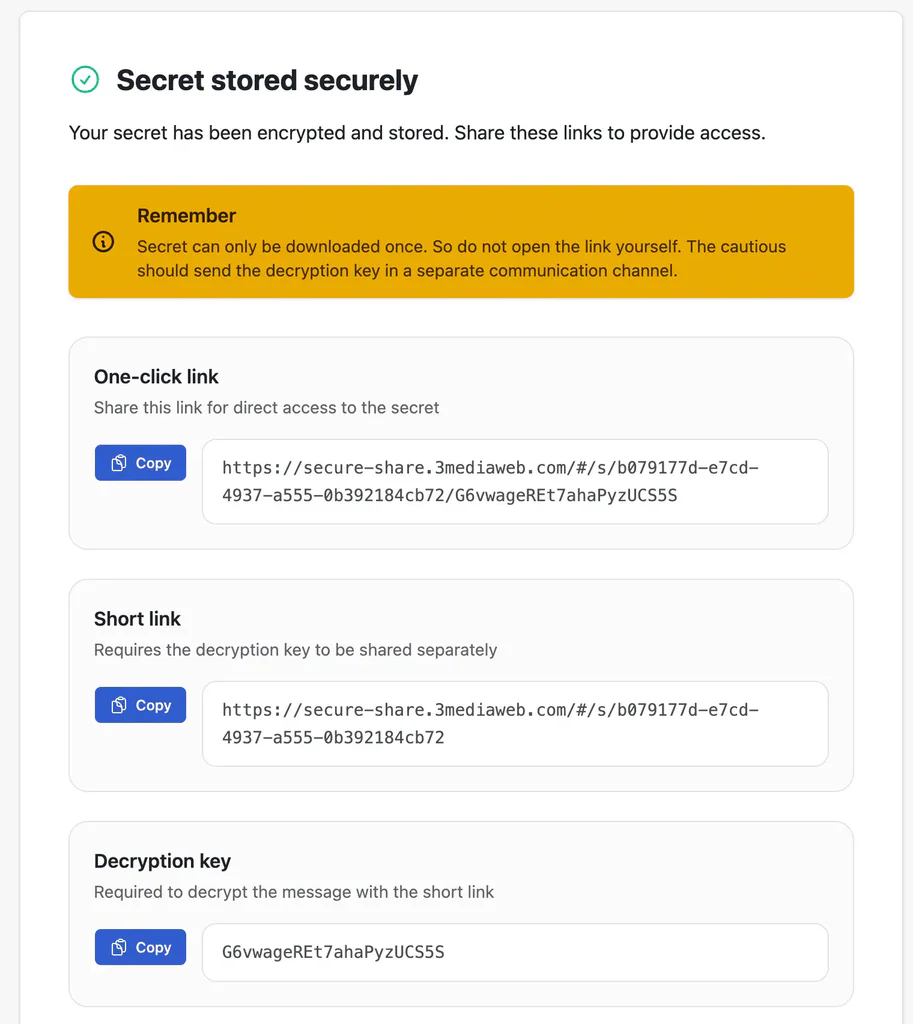
Click Encrypt Message. You’ll see a confirmation screen with two ways to share:
- One-click link — a single link that opens the message directly. Simplest option for everyday use.
- Short link + decryption key — the link and the key are separate, and the message only opens with both. For very sensitive items, send the link one way (email) and the key another (text message or phone call), so no single channel ever holds everything.
Each has its own Copy button.
Step 4: Send the Link
Paste the link into your email or message and send it. One important habit: don’t click the link yourself to check it. With one-time download on, opening it consumes the message and your recipient will find nothing there.
Need to send a file instead? The Upload tab works the same way for small files like certificates and SSH keys — same expiration options, same one-time download protection.
You’re All Set!
That’s the whole workflow: encrypt, copy, send. The message never travels in readable form, and it cleans up after itself.
If you’re ever unsure whether something is safe to put in an email, it probably isn’t — use Secure Share and reach out if you have questions.