Last updated: August 24, 2026
TL;DR: You do not need a full website redesign to see better results. Implement these seven impactful website update tasks between major redesigns to enhance performance, boost search visibility, and increase conversions, focusing on one sprint at a time.
- Refresh key pages first: Update your highest-traffic and conversion pages (home, top service pages, and contact) before anything else.
- Optimize for mobile: Make sure the site works well on smartphones, since Google uses the mobile version of your site to index and rank pages.
- Boost page speed: Cut load times to improve user experience and Core Web Vitals, a confirmed Google ranking factor.
- Update your content: Refresh messaging, remove outdated stats, and align copy with your brand voice and goals.
- Improve navigation and UX: Help visitors find what they need with clearer menus and a logical path to action.
- Add strategic CTAs: Guide users toward the next step with well-placed, benefit-driven calls to action.
- Improve access: Make the site more inclusive with contrast fixes, alt text, and a cleaner heading structure.
Looking to sharpen your digital presence but not ready for a ground-up rebuild? You have plenty of options. If you are weighing website refresh vs redesign, these smaller projects are the middle ground.
A website is never truly finished. Effective marketing teams consider it a dynamic asset that evolves with the business, rather than viewing it as a single launch project.
The seven enhancements listed below can lead to tangible benefits without needing the budget, timeline, or risk associated with a complete redesign.
What can you improve on your website without a full redesign?
You can improve a website without a redesign by upgrading content, speed, mobile experience, UX, calls to action, and access in small, focused projects.
Each of these can be scoped to a few days of work, shipped separately, and measured on its own.
That makes them a good fit when you need momentum now but a redesign is months away. Below is a quick map of where to start, followed by a deeper look at all seven.
Best Practices To Update Website Content During A Redesign offers a hands-on take on this.
What is a website refresh?
A website refresh is a set of targeted updates to an existing site—content, speed, mobile, UX, SEO, visuals, or testing—that lifts performance without rebuilding the site from scratch.
A redesign rebuilds structure, templates, and often the platform. A refresh keeps what works and fixes weak spots.
Since each modification is minor and distinct, you can launch a website update within days and assess its effects immediately.
Which website project should you tackle first?
Start with the project that fixes your biggest, most painful problem first, then work down by effort and payoff.
If you are not sure, refreshing key pages and speeding up the site usually deliver value fastest. Use the table below to sort by effort, main payoff, and who benefits most.

1. Content refresh: keep your messaging current
A content refresh is the fastest way to make an existing site feel current without touching the design. Your website content is what informs, persuades, and answers questions, so it ages faster than the layout around it.
Start with your blog posts. Make sure they match current trends, add recent data and examples, and confirm each one is optimized for search.
Fresh, accurate content builds trust with search engines and with readers.
Next, review your About page. If it has not been touched in a year or more, update your story, your mission, and the proof points that set you apart.
Do the same for case studies and portfolio pieces: swap in current results, new quotes, and recent work so they show where your team is today, not where it was five years ago.
Quick wins
- Update blog posts with current trends, data, and examples
- Refresh the About page to match any messaging changes
- Renew case studies and portfolio pages with recent work

2. Site speed optimization: cut your load times
Faster pages keep visitors engaged and support better search rankings, which makes speed one of the highest-return projects on this list.
According to Google Search Central, Core Web Vitals are part of the signals its core ranking systems reward, with a target Largest Contentful Paint of 2.5 seconds or less. Slow pages cost you on both experience and visibility (Google Search Central’s Core Web Vitals guidance).
Begin with your images, since large, uncompressed files are the most common culprit. Compress them and serve next-gen formats to shrink file size without losing quality.
After images, look at server response time, because a slow server undercuts every other optimization. Upgrading your hosting and maintenance plan or moving to a more reliable host is often the single biggest fix.
Finally, enable browser caching so returning visitors load a lighter version of your site instead of downloading everything again.
Quick wins
- Compress images or serve them in next-gen formats
- Review and improve server response time
- Enable browser caching to speed up repeat visits

3. Mobile optimization for website: design for the small screen
Mobile optimization is no longer optional, because Google uses the mobile version of your site for indexing and ranking (Google Search Central’s mobile-first indexing documentation).
Start with responsive design, which serves the same content across screen sizes and is the setup Google recommends. That one choice makes your site usable on a wide desktop screen and on a small phone.
Then test the mobile experience itself. Simplify the menu, raise font sizes for readability, and make buttons large enough for a thumb.
Mobile and desktop visitors arrive with different needs and contexts, and a site that respects both keeps more of the traffic it already earns.
Quick wins
- Put mobile users first
- Use responsive design across breakpoints
- Review and restructure the mobile menu if needed
4. Website accessibility improvements: smooth the visitor journey
Better UX turns a confusing site into a clear path that moves visitors toward action. User experience is how people interact with your site, so small friction points quietly cost you leads.
Start with navigation. A clear, well-labeled menu guides visitors through your content without guesswork.
In our work with the recruiting-software company JazzHR, moving the blog onto the main domain and giving it a cleaner, on-brand structure helped cut the blog bounce rate by 22% and lift blog traffic by 54% year over year. That shows how UX and navigation changes can move real numbers.
Next, make your calls to action easy to spot and easy to act on, since they guide people to the next step.
Then make the site usable for everyone, including people with disabilities, by adding alt text, supporting keyboard navigation, and using high-contrast colors. Better access is both good UX and the right thing to do, and the WCAG guidelines are a strong place to start.
Quick wins
- Simplify menus for intuitive navigation
- Make CTAs clear, specific, and compelling
- Build access with contrast, alt text, and keyboard support
5. SEO tune-up: get found in search
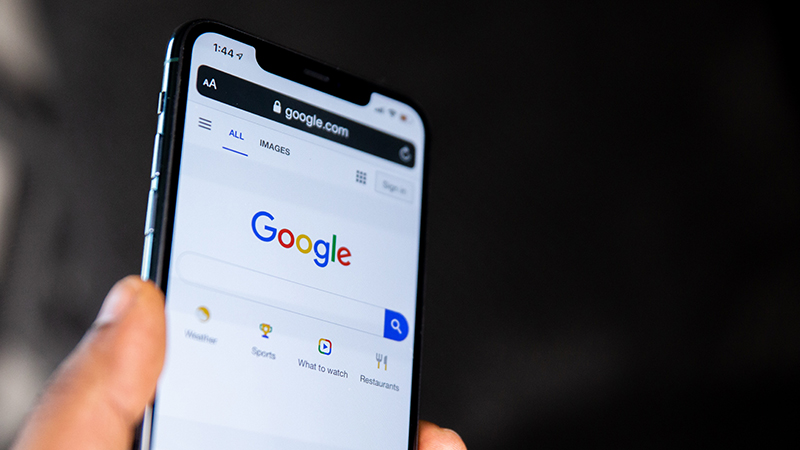
An SEO tune-up helps the content you already have rank for the terms your buyers actually search. Even without a redesign, sharper SEO can recover visibility you are leaving on the table.
Start with keyword research to learn the exact words and questions your potential customers use. Then work those phrases naturally into your copy and headings.
Next, optimize your title tags and meta descriptions, the preview text that decides whether someone clicks your result. Enhance your internal linking structure to ensure that each page provides context and authority to related pages. This assists both readers and search engines in comprehending the overall organization and connection within your website.
This kind of tune-up can pay off on its own: in our work with the manufacturer EZTube, an SEO-only effort (rewriting headings around better keywords, tightening metadata, and moving calls to action) drove a 95% year-over-year increase in ecommerce purchases without any redesign.
If you are short on time, our guide on how to prioritize website tasks when you are a team of one or two can help you sequence the work.
Quick wins
- Run keyword research to learn your audience’s language
- Optimize title tags and meta descriptions for click-through
- Improve internal linking to connect related pages
6. Visual refresh: modernize the look and feel
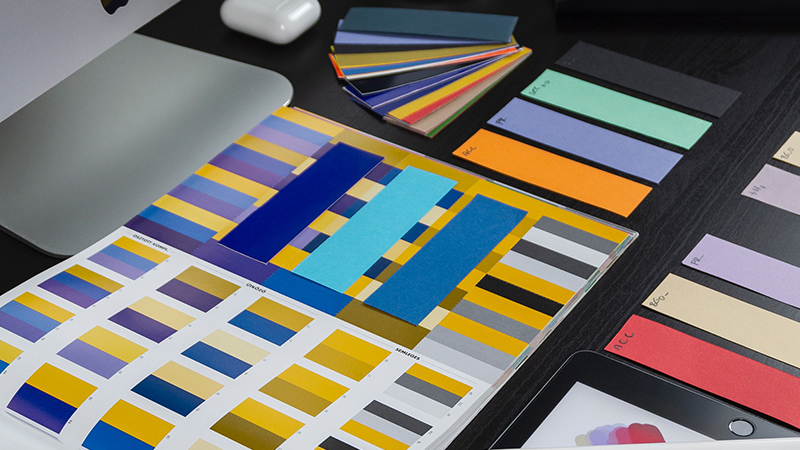
A visual refresh updates first impressions without rebuilding the site, since visuals are the first thing visitors judge.
Start with your imagery. Replace low-quality, generic, or off-brand photos with high-quality visuals that reflect your brand’s personality. Effective, relevant images can enhance credibility more than many teams anticipate.
Next, revisit your color scheme, because color shapes emotion and perception. Choose it with care.
Then review typography, since the right typeface improves readability and supports your brand. These changes are mostly cosmetic, yet they can shift how professional and trustworthy your site feels.
For a deeper transformation, our custom web design team can refine the look while keeping what already works.
Quick wins
- Replace low-quality, stock, or off-brand photos
- Refine your color scheme for a cohesive feel
- Improve readability with a fitting typeface
7. Website A/B testing: let data guide the next change
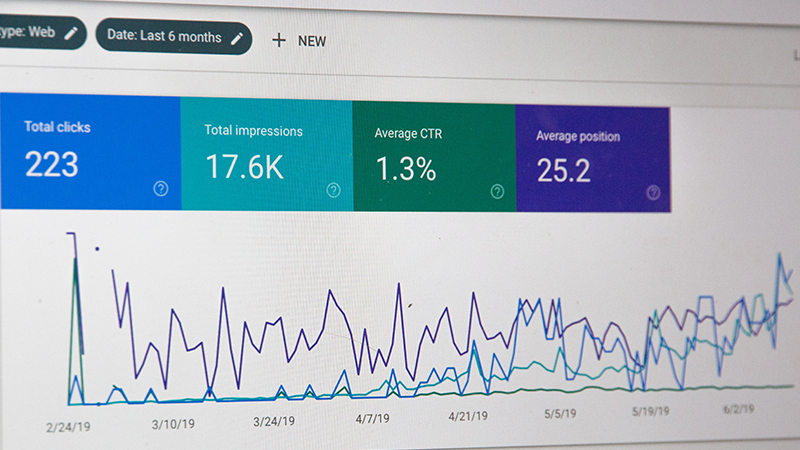
A/B testing shows you which version of a page performs better so you can invest in changes that actually move the needle. It compares two versions of the same page and measures which one wins on a goal you choose.
Start by deciding what to test, whether a headline, image, CTA, or form, with the goal of learning what resonates with your audience.
Create version A as the control and version B as the variant, changing only one element so any difference in performance is clearly linked to that change. Split your traffic between the two, watch the results, and ship the winner.
A/B testing is an ongoing practice, so keep testing and refining as you learn.
Quick wins
- Decide on a single element to test
- Build two versions that differ by one change only
- Split traffic, measure results, and ship the winner
How much does it cost to improve a website without a full redesign?
Far less than a redesign, because each project on this list is scoped on its own rather than as one large rebuild.
A content refresh, a speed pass, or an SEO tune-up can each take a few days of focused work, so you can spread cost over months and fund the next sprint with the results of the last.
That pay-as-you-go pace is why website refresh projects fit tight budgets that cannot absorb a full redesign at once.
When should you refresh your website instead of redesigning it?
Refresh when the structure still works and you only need better content, speed, visuals, or a handful of pages.
Redesign when navigation confuses visitors, the platform blocks your team, the brand has shifted a lot, or small fixes no longer move your metrics.
The rule of thumb: if fixing the problems means rebuilding how pages connect, you have outgrown a refresh and need a redesign.
How 3 Media Web can help
You do not have to choose between living with a weak site and committing to a full redesign. 3 Media Web partners with marketing teams to prioritize the improvements that matter most, then executes them on a timeline and budget that fit, so your website keeps pace with your business.
In our work with the recruiting-software company JazzHR, we did exactly that, improving the site project by project rather than all at once: we stabilized the platform (taking it from roughly monthly outages to zero incidents), integrated and refreshed the blog, and added a self-scheduling option that lifted demo conversions by 133%.
Whether you want to update your content, improve speed and access, or develop a step-by-step plan for a bigger project, we assist you in making progress without needing to start again.
When a bigger change is warranted, our web design and development team can scope it with you. To understand how collaboration can impact your work, check out why some partnerships fail and how to avoid the pitfalls.
We cover this in more depth in How to Build a Business Case for a Website Redesign.
Small changes, significant impact
A full redesign can feel like a huge job, but meaningful progress does not require one.
By refreshing content, improving speed, optimizing for mobile, improving access, tuning SEO, modernizing visuals, and testing what works, you can lift your site’s performance and user experience one project at a time.
Great websites are built step by step, and each focused sprint adds up to a site that is polished and high performing without the cost of starting from scratch.
Contact our team today for a quote on improving your digital experience strategy.