Last updated: July 27, 2026
A website redesign is your best chance to give the words, images, and video on your site the same upgrade you are giving the design. New layouts and navigation get the attention, but updating website content is what turns a redesign into measurable results.
What should you do with your content during a website redesign?
TL;DR: Treat content as a core workstream, not an afterthought. Audit what you already have, decide what stays, gets rewritten, or gets cut, map it to a new sitemap, and build a calendar so writing keeps pace with the build. Refresh existing pages rather than starting from scratch wherever you can — according to HubSpot (2023), updating and republishing old content lifted their monthly organic traffic by an average of 106%.
Below is the practical sequence our content team follows on a redesign, from first audit to launch-ready copy.
You can explore this further in Not Ready for a Full Website Redesign? 7 Projects to Elevate Your Site.
What counts as website content?
Website content is every asset a visitor consumes on your site — not just blog posts and page copy. Your content strategy should plan for a diverse mix, because different visitors prefer different formats.
When you update content for a redesign, account for all of these types:
- Page copy and blog posts
- Photographs and images
- Graphics and infographics
- Customer testimonials and reviews
- Product and service listings and descriptions
- Animations
- Video
- Audio and podcasts
Good design and user experience matter, but even the best UX and visual design cannot rescue a page whose content is thin or out of date. Content is the substance visitors actually came for, and creating and maintaining a diverse mix takes real time.

Why shouldn’t you leave content until the last minute?
Leaving content until the end of a redesign slows the project down and drives up cost. Business owners routinely underestimate how long it takes to write, edit, and approve copy, and a last-minute scramble produces rushed work that undermines the rest of the investment.
Plan your content before the redesign begins. Decide what each page needs to say, then let the design support that message — not the other way around. Content built only to fill a template rarely communicates your value proposition; content built to carry the message converts.
In our work with the recruitment-process-outsourcing firm NXTThing PRO, content was treated as a core project element rather than a last step: we interviewed stakeholders to pin down their key differentiators, then structured and wrote the copy for every page as we broke their single long-scrolling site onto individual pages. Leading with content that way helped the redesigned site earn a 495% jump in keyword rankings and a 2023 Horizon Interactive Award — a concrete example of why content deserves to drive the redesign, not trail it.
3 Media Web makes the redesign process easy — and that includes the content. Reach out to start your next project with our team.
How do you audit your existing website content?
Start by inventorying every page and asset in a spreadsheet, then grade each one against your goals before you change anything. The point of a content audit is to take stock and assign each piece a score for quality and relevance — decisions about what to keep, rewrite, or cut come next.
For each piece of content, answer these questions:
- Does this content align with your current business goals?
- If not, can it be updated to fit, or should it be retired?
- Does it speak to and target your customer personas?
- Is it well written, free of typos and grammatical errors?
- Is it engaging and easy to read?
- Is it fresh and accurate, or does it sound outdated?
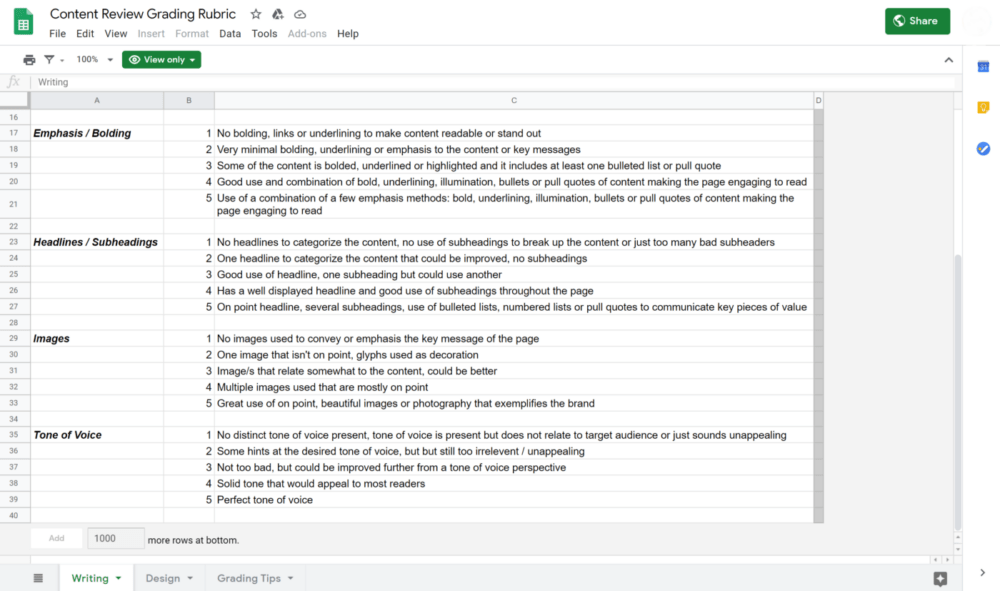
A scorecard speeds this up. The team at Moz published a content-review scorecard you can copy and adapt: you rate each article 1 to 5 on elements such as spelling and grammar, tone of voice, and imagery, which makes a large library quick to triage.
What is a content audit scorecard?
A content audit scorecard is a simple rating sheet that grades every page on fixed criteria — typically accuracy, writing quality, tone, SEO, and imagery — on a 1-to-5 scale. Scoring each page the same way removes gut-feel bias, makes a large library fast to triage, and turns “this feels old” into a defensible keep, rewrite, or cut decision you can hand to any team member.
When should you cut a page instead of rewriting it?
Rewrite a page when the topic still matters and it earns traffic, links, or rankings worth preserving. Cut it when the topic is obsolete, it targets a persona you no longer serve, it duplicates a stronger page, or it draws effectively no traffic and has no inbound links. When you do cut a URL, 301-redirect it to the closest relevant page so you keep any equity it earned.
Review and reorganize your sitemap
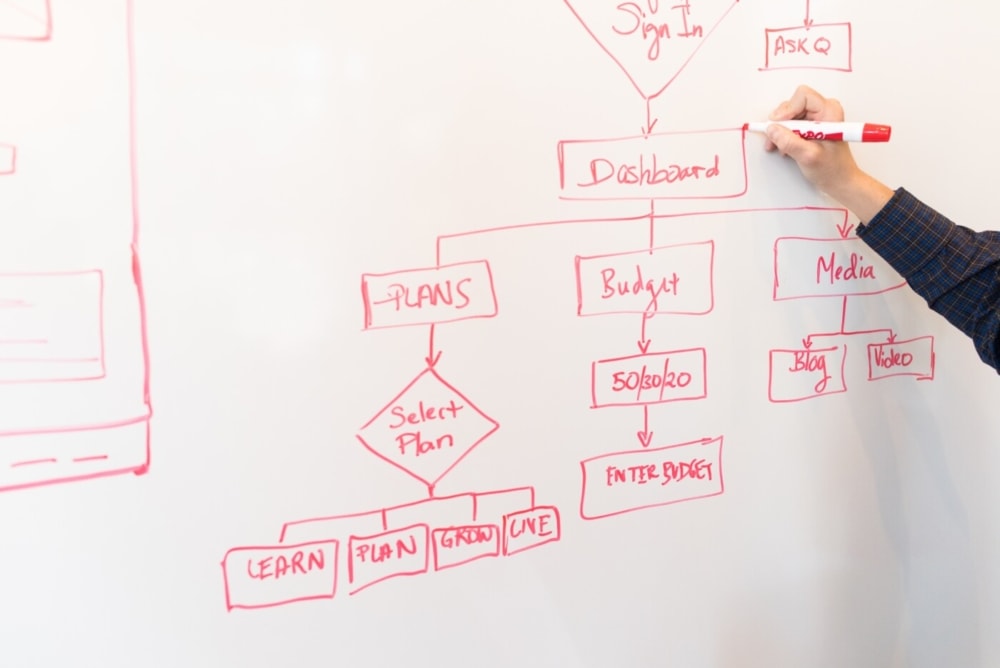
A content audit also maps how every page relates to the others so you can build a cleaner site structure. The agency running your redesign should review each live page, note its purpose, and chart the relationships between pages — often flagging quality and SEO improvements along the way.
That mapping produces a sitemap, which does two jobs: it gives the designer a navigation structure visitors can follow, and it gives you a definitive list of the content that must be created or updated before launch. Use the sitemap to keep production on track.
How do you build a content plan and editorial calendar?
Once the audit and sitemap are done, turn the gaps into a dated calendar your team can actually follow. You should now have a complete inventory plus a list of everything still needed to finish the redesign — prioritize it so writing never becomes the bottleneck.
Plenty of tools organize an editorial calendar; common choices include Trello, Asana, Google Calendar, and HubSpot. Whatever you pick, work with your developer to sequence the work: high-traffic pages such as the homepage usually outrank old blog posts for priority. Knowing what is needed first keeps the calendar achievable and prevents delays — and since delays cost time and money, planning is the cheapest insurance you have.
If you are a small team juggling the redesign on top of everything else, our guide to prioritizing website tasks when you’re a team of one or two shows how to sequence the work without burning out.
Should you create content in-house or outsource it?
Choose in-house when you have the people, time, and skills on staff, and outsource when content would otherwise stall the redesign. Cost matters, but it should not be the only factor. Use the comparison below to decide which model fits your situation.
| Factor | Create in-house | Outsource to a partner |
|---|---|---|
| Team capacity | You have writers, designers, and time to spare | Your team is already stretched thin by the redesign |
| Skills required | Strong writing, design, and content-marketing skills in-house | You lack one or more of those skills internally |
| Cost structure | Fixed salaries regardless of output | Often less expensive than full-time hires; pay for what you need |
| Scalability | Hard to scale up or down quickly | Scale creators up or down to match your goals |
| Brand knowledge | Deep, built-in understanding of your brand | Requires a strong brief, but a good partner ramps fast |
Many businesses blend the two — keeping brand-critical pages in-house and outsourcing volume work so content never becomes a redesign bottleneck. A partner that handles complexity well makes this easier; see how partners can simplify complex client needs.
How do you optimize website content for SEO during a redesign?
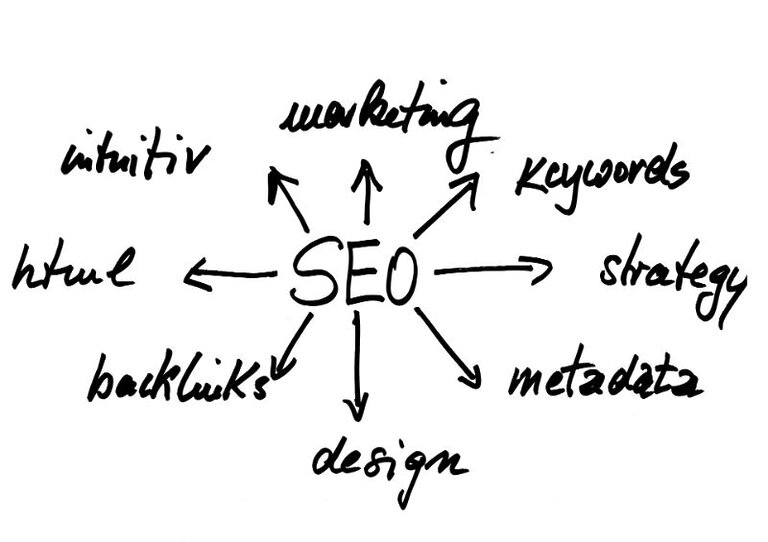
A redesign is the ideal moment to fix SEO, because the content you keep or create should be audited and optimized before it ships. Run an SEO audit at the start — its data should shape your content strategy — and if you do not have an SEO specialist on staff, work with a qualified SEO partner to protect rankings through the transition.
Some on-page fundamentals apply to every piece your team writes:
- Use a correct, logical heading structure (one H1, ordered H2s and H3s)
- Place target keywords and natural synonyms thoughtfully
- Add descriptive image alt text, descriptions, and captions
- Write for scannability — short paragraphs, lists, and clear subheads
- Answer real questions so the page is easy for search and AI engines to extract
- Produce genuinely useful, value-rich content
Tools such as Yoast and Semrush help confirm each page meets these basics, and Yoast’s guide to content SEO is a solid refresher for any skill level.
What is content migration in a website redesign?
Content migration is the process of moving your kept and rewritten content from the old site to the new one without losing SEO value. It covers matching each old URL to a new one, setting 301 redirects for anything that changes, preserving titles and meta descriptions on strong pages, and re-checking internal links after launch. Skipping it is the fastest way to lose rankings during a redesign.
Why refresh existing content instead of starting over?
Refreshing content you already have usually beats writing everything from scratch, because updated pages build on the search authority they have already earned. According to HubSpot (2023), updating and republishing old posts increased their monthly organic search views by an average of 106% — proof that a redesign’s content phase is as much about reviving strong pages as it is about creating new ones.
As you update, aim to genuinely improve each page — add depth, accuracy, and freshness rather than swapping a single image or fixing one typo. Updating stale content also trims your overall production timeline and keeps the site looking current to both visitors and search engines. Ongoing maintenance and support keeps that freshness going long after launch.
Whether you need help shaping content for a redesign or want to grow through content marketing, our team is ready. Reach out to start working with us.
Frequently asked questions
For broader marketing support beyond content — SEO, paid media, and lead generation — explore our strategic support services.